Build practical workflows
Connect triggers, AI decisions, APIs, and business tools in a workflow your team can inspect.
Agentic AI automation
Learn how to build agentic AI workflows with n8n in 2026 — automate multi-step AI agent tasks, connect LLMs to real tools, and scale reliably. By Numan, full-stack & agentic AI engineer.
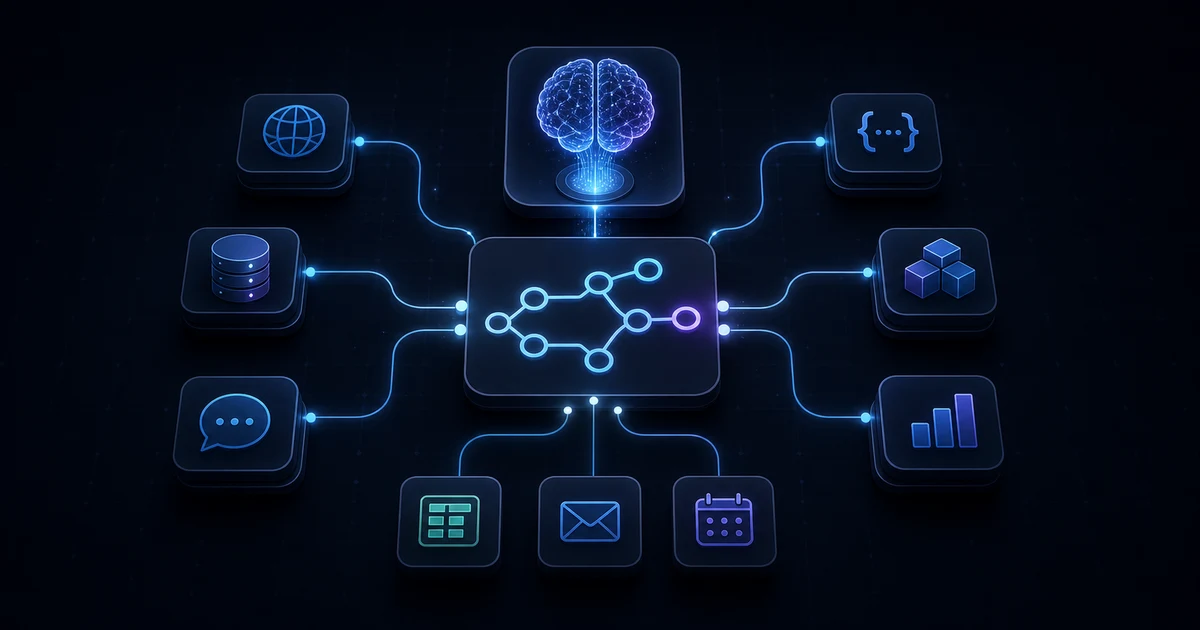
Connect triggers, AI decisions, APIs, and business tools in a workflow your team can inspect.
Compare n8n Cloud, self-hosting, pricing, security, and enterprise options for your use case.
Add validation, approval steps, retries, logs, and clear failure paths before production.
n8n automation is useful when an AI system needs to move beyond chat and take structured action across APIs, databases, CRMs, documents, alerts, and internal tools.
Agentic AI is only useful when the agent can observe an event, decide what should happen next, call the right tool, and leave an audit trail. n8n gives that system a workflow canvas: triggers start the process, nodes transform or enrich data, AI steps reason over context, and integrations push the result into the business system that needs it.
This is why n8n has become a serious topic for AI builders. The value is not just saving a few clicks. The value is creating controlled automation where an AI assistant can draft, classify, summarize, route, update, notify, and escalate without giving it unrestricted access to every tool at once.
The signal is practical: more teams are testing agents than have scaled them, and governance is lagging. That makes visible tool boundaries, approval gates, logs, and failure handling essential parts of an n8n design.
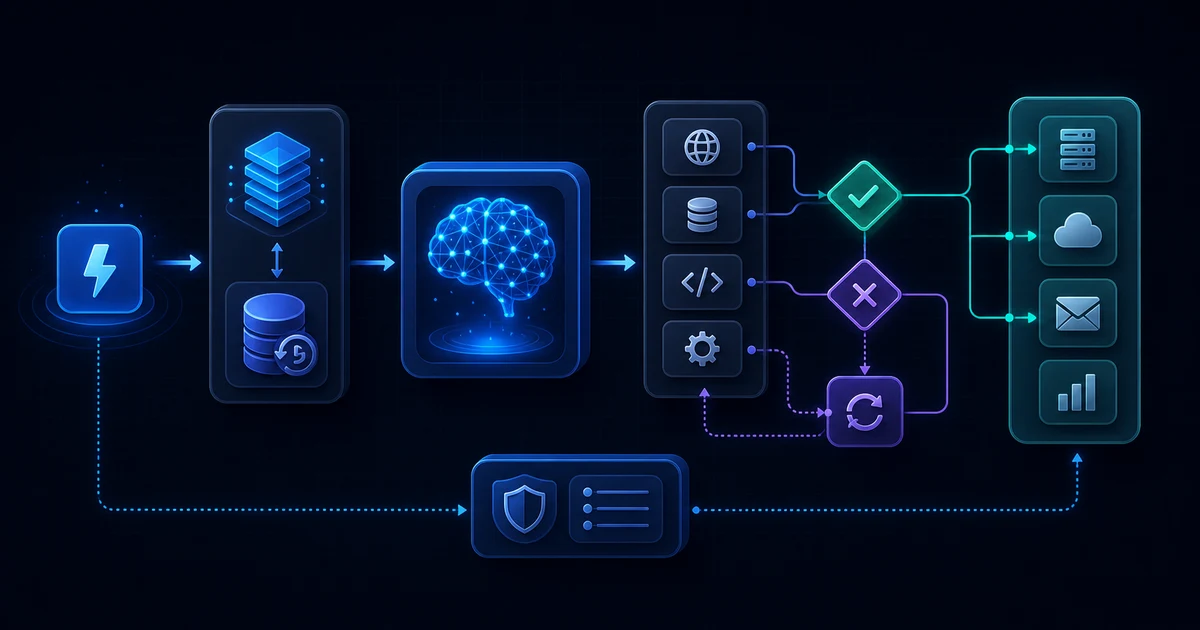
A practical n8n tutorial should start small. Pick one business event, one target system, and one measurable outcome. For example: when a support form arrives, classify urgency with an AI model, create a ticket, notify Slack, and store the summary in a database.
Creating workflows in n8n gets easier when every workflow has one job. If a workflow becomes too large, split it into sub-workflows so the main automation can call focused reusable steps.
The most useful n8n features for agentic AI are the ones that make automation inspectable. You can see each node, review input and output data, rerun failed steps, and design a workflow that humans can understand.
For production, the best feature is often the boring one: visibility. A team should be able to tell why the workflow ran, which data it used, what the AI produced, and whether a human approved the final action.
The best n8n nodes depend on the workflow, but a strong beginner stack usually includes these building blocks:
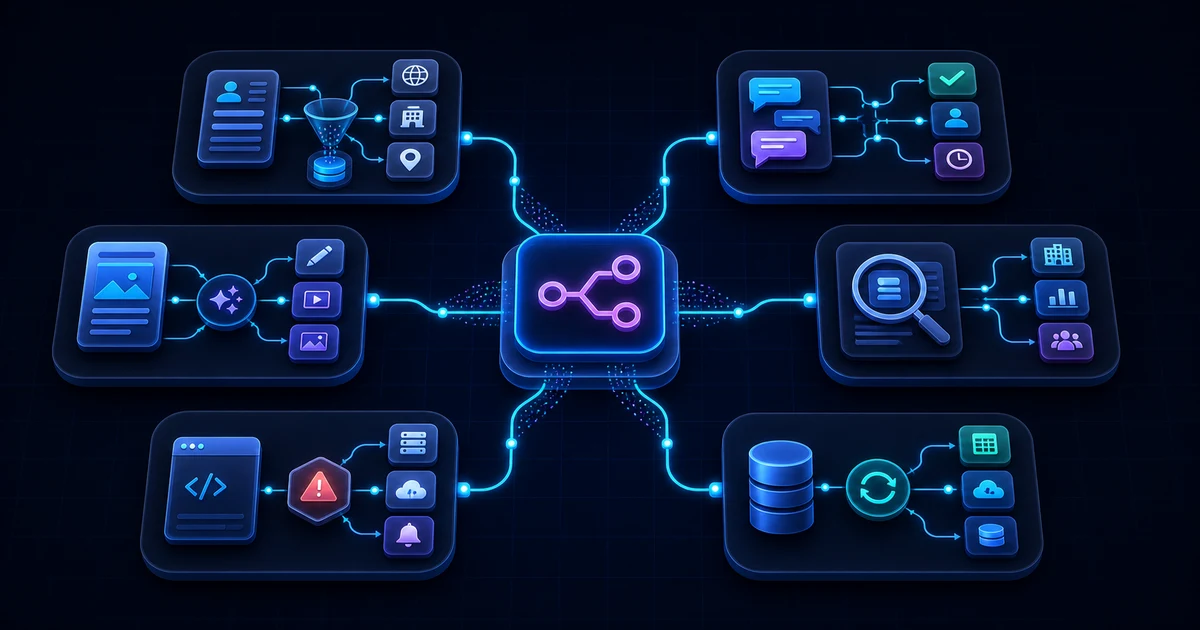
Good n8n workflow examples for agentic AI are specific enough to ship and constrained enough to audit. They can also sit behind AI-powered app development services when a mobile or web product needs reliable agent actions without exposing orchestration details to users.
These examples show where n8n data integration becomes valuable: the workflow does not merely pass data along; it gives the data structure, context, routing, and accountability.
n8n integrations cover common SaaS tools, databases, developer platforms, communication apps, AI services, and generic APIs through HTTP Request. When a dedicated integration does not exist, a well-documented API can usually still fit into the workflow.
The official n8n documentation is the best source for node behavior, credentials, hosting, webhooks, AI nodes, and troubleshooting. Use it before copying random workflow exports because small version, credential, and data-shape differences can break an automation.
For custom product work, n8n pairs well with a Next.js backend for automation workflows. The app can own user experience and permissions, while n8n owns repeatable orchestration behind the scenes.
The n8n vs Zapier decision usually comes down to control versus convenience. Zapier is often faster for straightforward SaaS-to-SaaS automations, and you can read our Zapier Agentic AI Guide for setup advice. n8n is stronger when the team wants more control over logic, data transformation, branching, custom APIs, hosting, and AI workflow orchestration. Make.com automation sits between those patterns for teams that want visual scenario branching and data mapping without managing a self-hosted n8n instance.
A practical team can use both, but the more the automation touches proprietary data, custom APIs, or AI decision-making, the more n8n's control becomes useful.
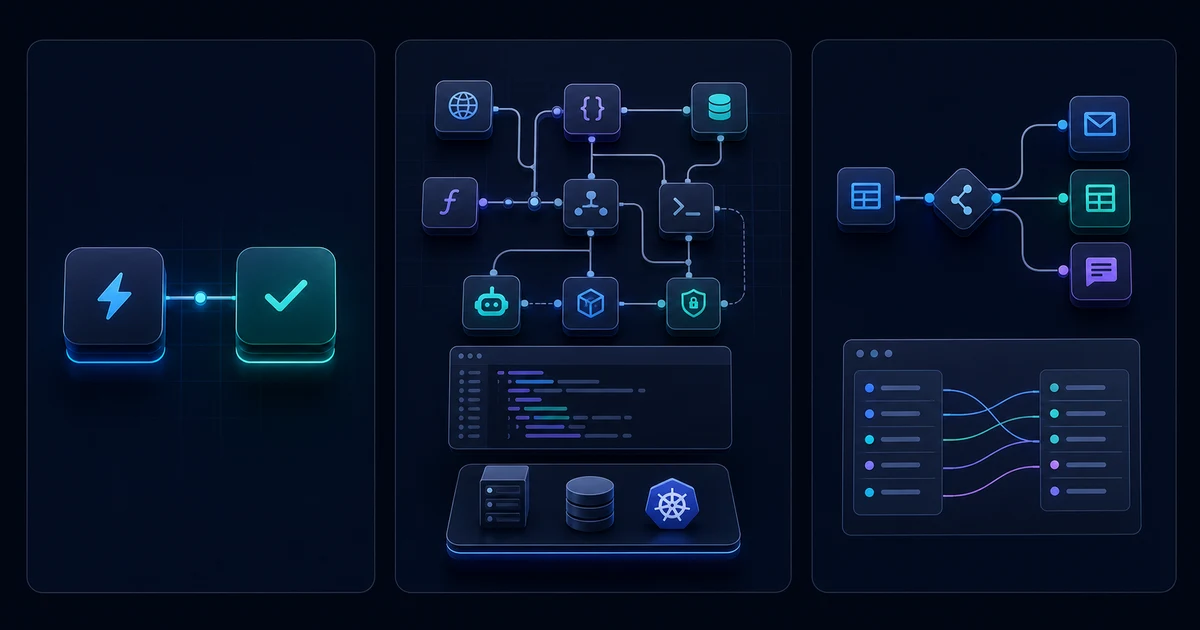
n8n pricing deserves its own decision pass because the cheapest-looking option is not always the lowest-risk option. Compare the official n8n pricing page against your execution volume, number of workflows, collaboration needs, governance requirements, and the engineering time required to operate the platform.
n8n Cloud is the hosted path. It removes server maintenance and is usually the better choice for teams that want to build workflows without managing infrastructure. n8n self hosted is the control path. It can fit production and customized use cases, but it requires server, container, backup, scaling, and security knowledge.
People often search for n8n open source because n8n offers a free self-hosted community edition and visible source code. The precise licensing is better described as fair-code under n8n's Sustainable Use License, so teams should review the license if they plan to embed, resell, host for clients, or heavily commercialize it.
For n8n enterprise, the practical question is not only cost. It is whether the organization needs stronger support, access controls, environments, auditability, SSO, governance, and production deployment confidence.
n8n security starts with the deployment model. A workflow automation tool may hold credentials for CRMs, databases, email, internal APIs, and AI providers, so it should be treated like sensitive infrastructure. The official security documentation should be part of any production checklist.
Agentic AI raises the standard. The workflow should define what the AI can read, what it can write, what it can call, and when the result must wait for a person.
Most troubleshooting n8n work starts by reading the execution data node by node. Find the first node where the actual output diverges from the expected output, then fix that boundary before changing the rest of the workflow.
This article is the pillar page for n8n automation and agentic AI. The supporting topical map should cover beginner education, integration depth, comparison intent, deployment decisions, security, and troubleshooting.
Internal links should support that map. On this site, the closest related pages are Full-Stack & AI App Development Services for end-to-end integration, Next.js development services for dashboard and API work, app architecture for system design thinking, debugging tools for diagnostics, and portfolio work for delivery context.
Agentic AI automation in n8n is a workflow where an AI model can interpret context, choose from approved tools, and take structured action across APIs, databases, CRMs, and communication systems. n8n supplies the triggers, branches, credentials, approval gates, execution history, and audit trail that keep those actions controlled and inspectable.
Connect an LLM through n8n’s AI nodes or an HTTP Request node, then give it structured context and a limited set of callable workflow tools. Keep credentials in n8n, validate model output, route low-confidence results to review, and use sub-workflows for reusable actions such as CRM updates, research, or notifications.
A simple n8n automation follows a predefined trigger-and-action path: when one event happens, known steps run. An agentic workflow adds bounded judgment. The model may classify an event, select an approved tool, or decide the next route, while n8n still enforces permissions, branching, retries, logs, and human approval for risky actions.
Yes, when the workflow is engineered as a production system rather than an unrestricted autonomous loop. Split large flows into focused sub-workflows, use least-privilege credentials, validate webhook inputs, require structured model output, add retries and exception routes, monitor execution history, and keep human approval before irreversible writes or customer-facing messages.
Useful cases include lead enrichment and qualification, support triage with suggested replies, content operations, scheduled sales research, incident-summary and escalation workflows, and database synchronization with anomaly reporting. These work well because n8n can combine AI judgment with deterministic data transformation, routing, notifications, system updates, and a visible record of each step.
Choose Zapier for straightforward SaaS automations and the fastest setup. Choose Make.com when visual branching and data mapping are central. Choose n8n when you need custom code, webhooks, internal APIs, reusable agent tools, deeper execution visibility, or self-hosting. Base the decision on workflow complexity, governance, operational skill, and required control.
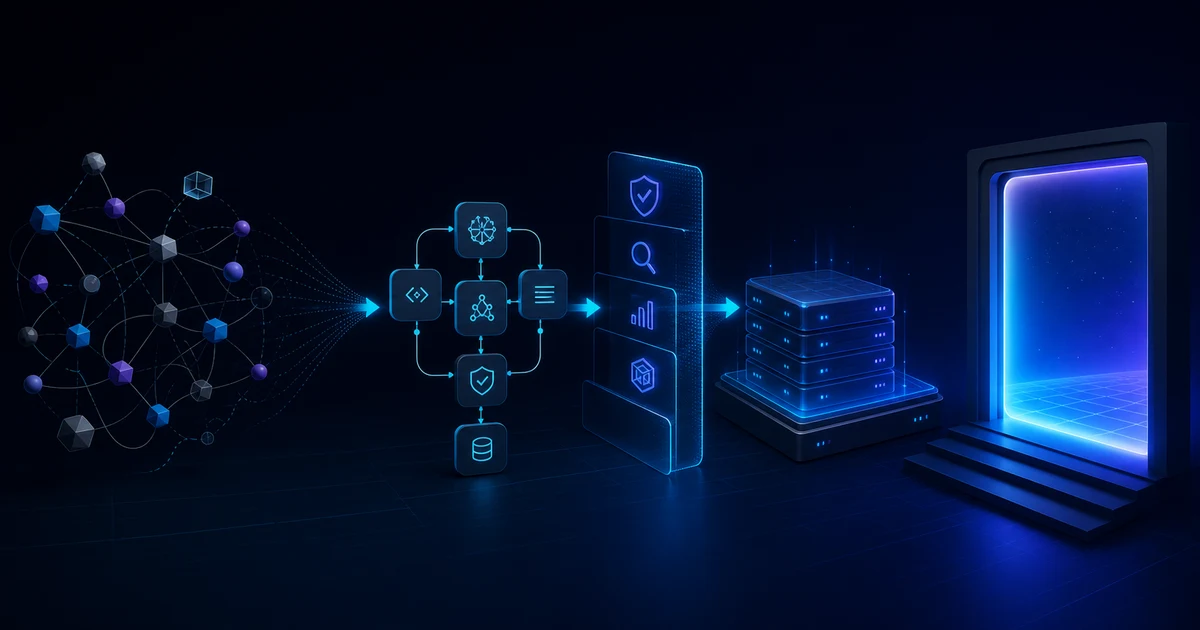
I would treat an n8n automation project like a small production system, not a one-off workflow. The workflow needs a clear owner, visible execution history, controlled credentials, versioned changes, and a path for humans to review risky decisions before an AI-triggered action reaches customers or production data.
The safest architecture keeps the product layer, data layer, and automation layer separate. React Native consulting for AI integration helps define the mobile product boundary, while a Next.js app or backend API handles users, permissions, forms, and dashboards. n8n can orchestrate the repeatable workflow. The AI step should receive only the context it needs, return structured output, and stay inside the tool boundaries defined by the workflow.
For semantic SEO, this page should operate as the pillar article. Child pages should go deeper on pricing, tutorials, integrations, webhooks, self-hosting, security, and n8n vs Zapier. Each child page should link back here with descriptive anchors such as n8n automation, agentic AI workflows, and n8n data integration.