Loop Engineering: The Complete Roadmap From Prompting Agents to Designing Systems That Prompt Themselves
.webp)
For the last two years, working with an AI coding agent looked the same for almost everyone: write a prompt, wait, read the diff, write the next prompt. You were the one holding the leash the entire time.
That's changing — and as someone who builds with Agentic AI and agent-loop engineering daily on production mobile and full-stack projects, I've watched the leverage point shift in real time. It's no longer about writing a better prompt. It's about designing the system that prompts the agent for you.
This guide breaks that shift down into a roadmap — when a loop is actually worth building, the five components every working loop needs, and the mistakes that turn a promising automation into an expensive mess.
What Is Loop Engineering?
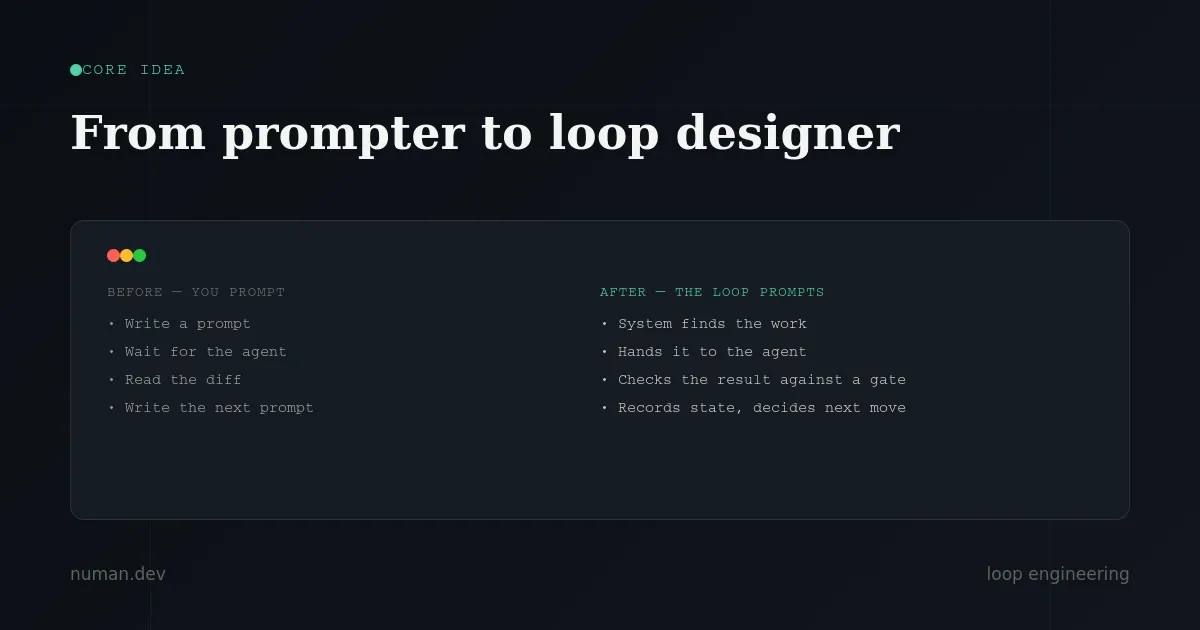
Loop engineering is the practice of building a small, self-running system that finds work, hands it to an AI agent, checks the agent's output against a real verifier, records the result, and decides what happens next — without a human typing each step.
You design the system once. After that, the system is the one prompting the agent, not you.
This single shift — from typing prompts to designing the loop that prompts — is the core idea behind every concept in this guide.
Quick Answer: Do You Actually Need a Loop?
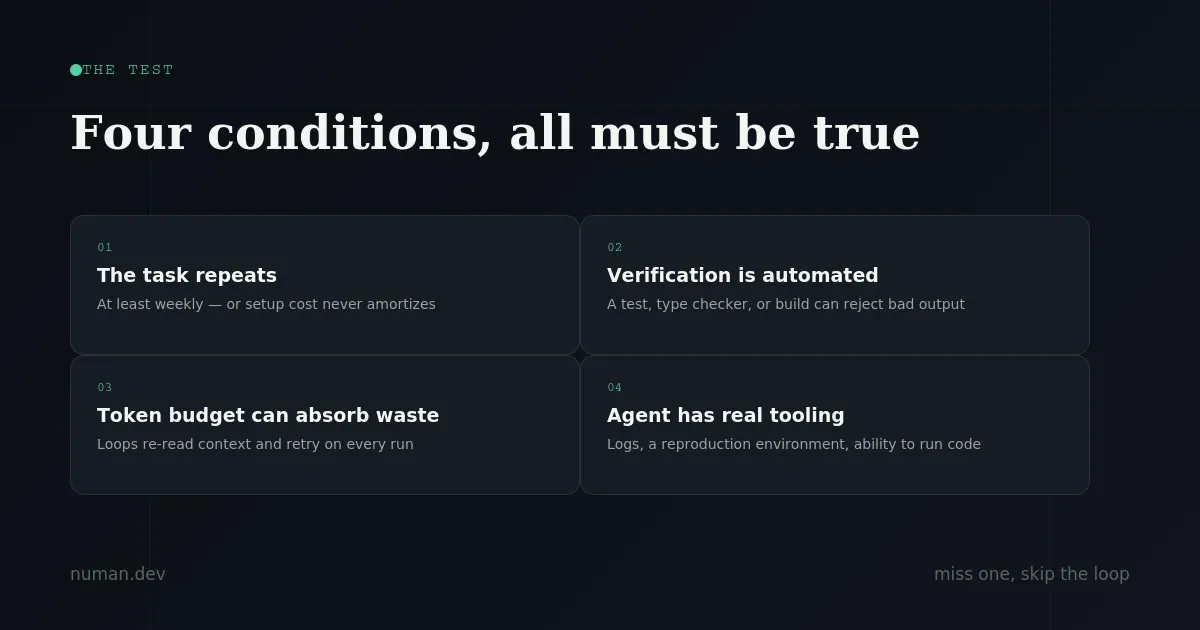
Before building anything, run this test. A loop is only worth its cost when all four of these are true:
- The task repeats — at least weekly. One-off work is faster as a single good prompt.
- Verification is automated — a test suite, type checker, linter, or build process can fail bad output without you in the room.
- Your token budget can absorb retries — loops re-read context and retry, which burns tokens regardless of outcome.
- The agent has real tooling — logs, a way to run its own code, and a reproduction environment.
Miss even one condition, and the loop will likely cost more than it saves. That's not a guess — it's the honest, unglamorous part of loop engineering that most quick takes on social media skip entirely.
Who Actually Benefits From Loop Engineering
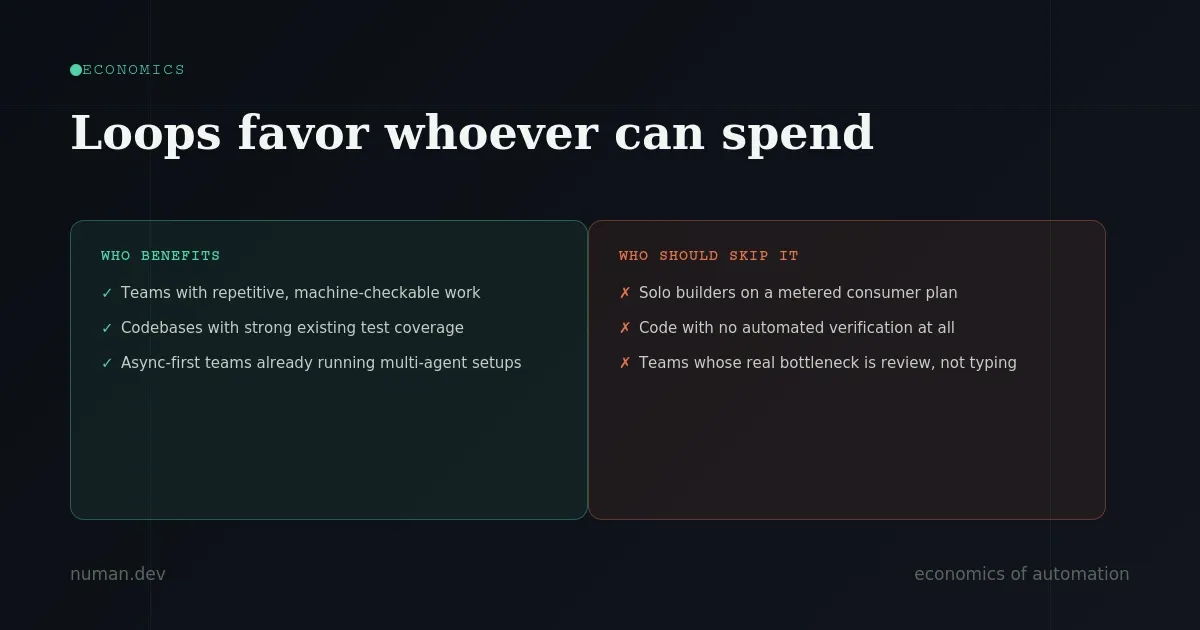
The economics here aren't universal, and pretending otherwise is how teams end up with a surprise token bill instead of a productivity win.
Loops tend to pay off for:
- Teams with repetitive, machine-checkable work — dependency bumps, lint passes, CI failure triage, issue-to-PR drafts on a codebase with strong test coverage
- Codebases with a solid existing test suite, where a loop's mistakes get caught automatically
- Async-first teams already running multi-agent workflows, where a loop is simply the missing orchestration layer
Loops tend to backfire for:
- Solo builders on a metered consumer plan — the bill shows up before the productivity gain does
- Any codebase with no automated verification — a loop with no real check is just an agent agreeing with itself, repeatedly
- Teams whose real bottleneck is code review, not typing speed — a loop produces more code, which only makes the review queue longer
If your work is exploratory, judgment-heavy, or "done" is subjective, a single well-aimed prompt still beats a loop. That's the honest version of this advice: most developers don't need a loop yet.
The 30-Second Loop Checklist
Before turning any specific task into a loop, run it through this checklist. Skip one box, and keep it manual for now.
- The task happens at least weekly
- A test, type check, build, or linter can reject bad output automatically
- The agent can run the code it changes and see what breaks
- The loop has a hard stop — a token budget, iteration cap, or time limit
- A human reviews anything irreversible before it merges, deploys, or touches dependencies
Good first loops to build:
- Nightly CI failure triage that classifies causes and drafts fixes for the easy ones
- Weekly dependency bump PRs that test compatibility before opening
- Lint-and-fix passes that run automatically on every PR
- Flaky test reproduction loops that retry until a theory holds
- Issue-to-PR drafts, only on code with strong existing test coverage
Tasks to keep manual, always:
- Architecture rewrites
- Authentication or payments code
- Production deploys
- Vague, judgment-call product work
The Five Building Blocks of a Working Loop
Every functioning loop — whether you're building it in Claude Code, Codex, or a custom setup — is made of the same five pieces.
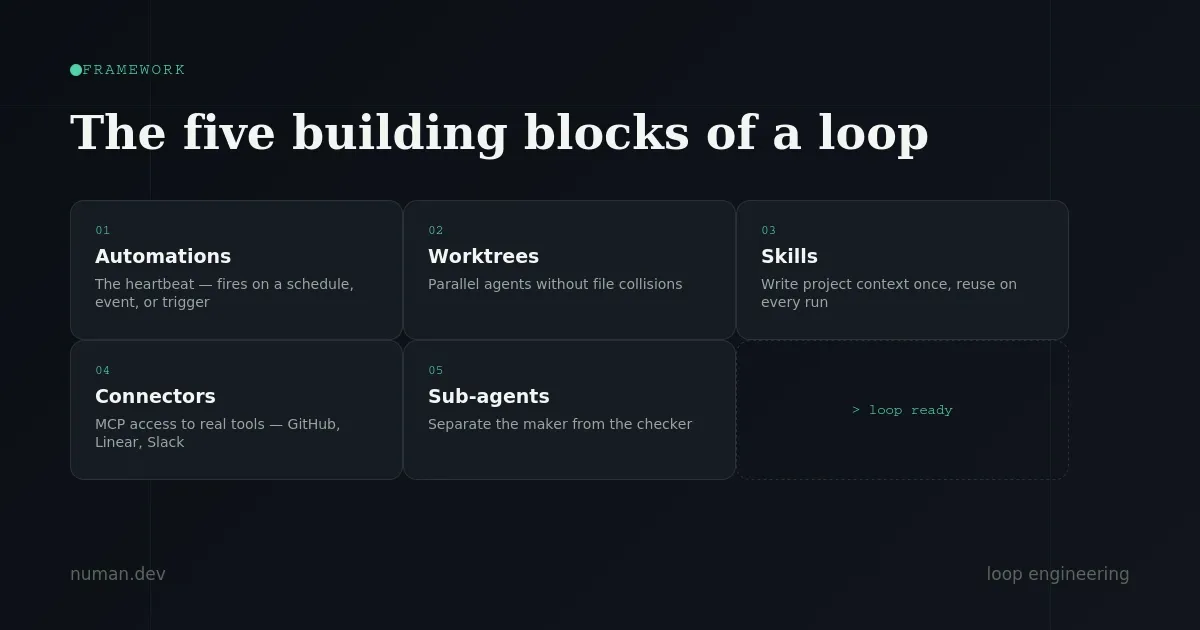
1. Automations the heartbeat
This is what makes a loop a loop instead of a one-time run. It fires on a schedule, an event, or a trigger.
In Claude Code, this shows up as three primitives: /loop for session-scoped recurring checks, scheduled tasks for runs that survive a restart, and routines for cloud runs while your laptop is off. /goal is the more interesting primitive — it keeps the loop running until a condition you define is actually true, verified by a separate model so the agent that wrote the code isn't the one grading it.
In Codex, this lives in the Automations tab: pick a project, set a prompt and cadence, and choose between a local checkout or a background worktree.
2. Worktrees parallel without collisions
The moment you run more than one agent, files start colliding the same way two engineers committing to the same lines do. A git worktree gives each agent its own working directory on its own branch, sharing the same repo history, so one agent's edits can't physically touch another's.
Both Claude Code and Codex support this directly. But worktrees only solve the mechanical collision — your own review bandwidth is still the real ceiling on how many agents you can run in parallel.
3. Skills write project context once, reuse forever
A Skill is a folder with instructions and metadata that the agent reads on every run, so you stop re-explaining your codebase's conventions from scratch every session. Without skills, a loop re-derives your entire project context from zero, every cycle. With them, that context compounds.
4. Connectors (MCP) touching your real tools
A loop limited to the filesystem is a small loop. Connectors built on the Model Context Protocol let an agent read your issue tracker, query a database, or post to Slack. The connectors that pay back fastest, in order: GitHub (branches, PRs, issue comments), Linear or Jira (ticket updates), Slack (triage summaries and escalations), and your error tracker (investigating live alerts).
5. Sub-agents separate the maker from the checker
This is arguably the single most valuable structural decision in any loop: the model that writes code should not be the same model that grades it. A model is, understandably, too generous reviewing its own work. A second agent with different instructions — sometimes a different model entirely — catches what the first one talked itself into accepting.
Both Claude Code (.claude/agents/) and Codex (.codex/agents/) support defining these as separate configured agents, often split into an explorer, an implementer, and a verifier.
The State File: The Piece Most People Skip
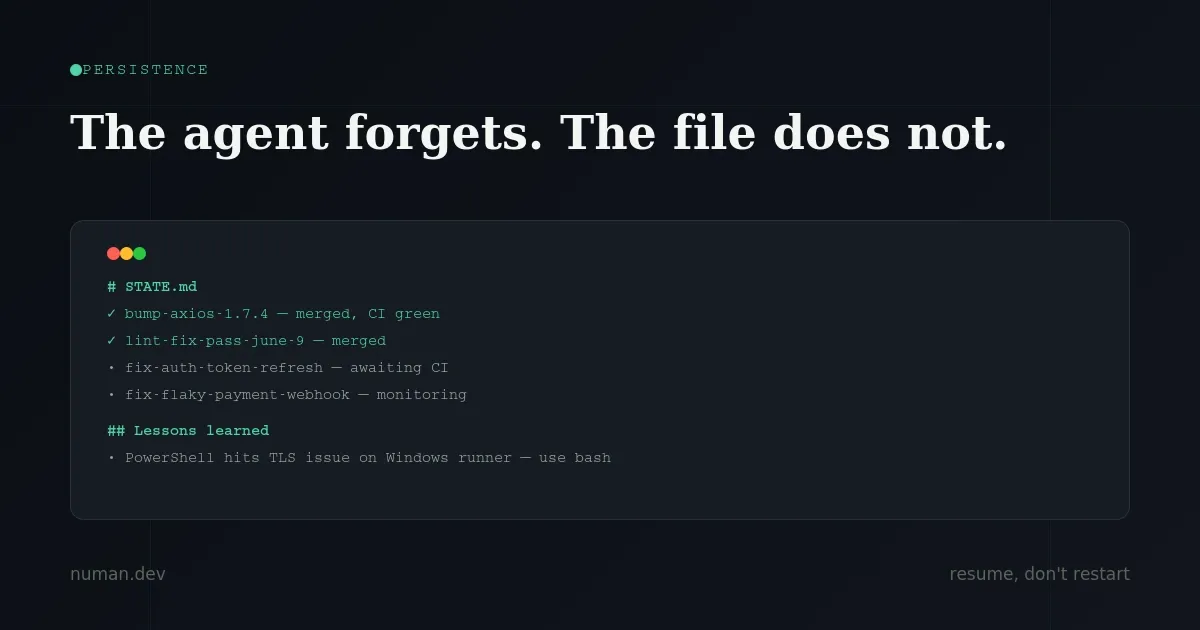
This sounds too simple to matter, and it's actually the spine of every loop that survives past day one.
A state file — a markdown file, a Linear board, anything living outside a single conversation — holds what's done and what's next. Agents have short memory by default; what they learn in one session is gone the next unless it's written down somewhere the next run will read.
A loop without a state file restarts from zero every time. A loop with one resumes.
For loops at risk of drifting off course over time, pair the state file with a standing spec document (something like VISION.md) that the agent rereads each run. The state file tells the agent where it is. The spec tells it where it's supposed to be going.
Build the Minimum Viable Loop First
If your task passes the four-condition test above, resist the urge to build something elaborate. Start with exactly four parts:
- One automation — a scheduled run with a clear stop condition
- One skill — a single file storing the context the agent would otherwise re-derive every run
- One state file — recording what's done and what's next
- One gate — the test, type check, or build that actually fails bad output
Get one manual run reliable first. Turn it into a skill. Wrap it in a loop. Then schedule it. Skipping straight to a scheduled, multi-agent loop is how most loops fail in production before they ever prove their value.
The metric that actually matters here is cost per accepted change not tokens spent, not loops scheduled. If less than half of what the loop produces gets accepted, you're doing review work the loop was supposed to remove.
Common Failure Modes (And How to Avoid Them)
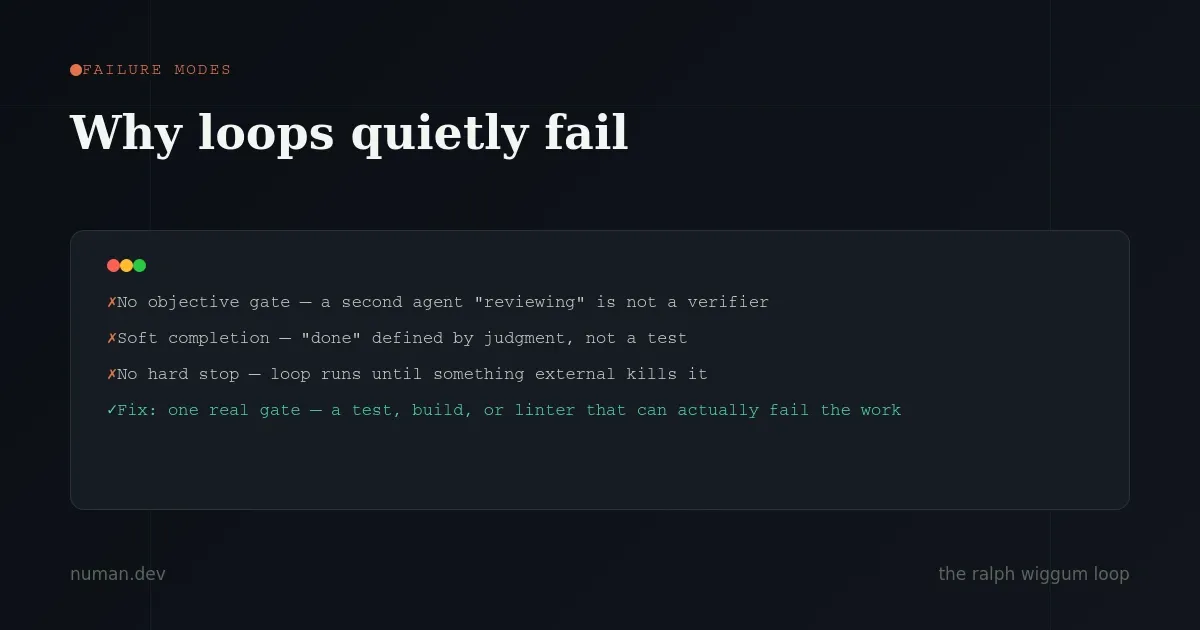
Loops that fail quietly
This happens when an agent meant to signal "done" only when finished instead signals it early, and the loop exits on a half-finished job. The only real fix is a hard, objective gate — a test that passes or fails, a build that compiles or doesn't. Not a second agent giving an opinion.
Goal drift
Over a long session, each summarization step loses a little context. Constraints you set early can quietly disappear later. A standing spec document, reread every run, is the mitigation.
Self-preferential bias
The agent that wrote the code is, by nature, lenient when reviewing it. A separate verifier with no exposure to the maker's reasoning catches what the maker missed.
Comprehension debt
This is the risk that grows as your loop gets better, not worse. The faster a loop ships code you didn't personally write, the bigger the gap between what your repository contains and what your team actually understands. The real cost isn't the token bill — it's the day someone has to debug a system nobody on the team has read.
The practical mitigations: actually read the diffs the loop produces, periodically spot-check that your gate still catches the failures you care about, and keep loops away from architecture-level decisions entirely.
Security exposure
An unattended loop is an unattended attack surface. Treat it accordingly: include security checks in your gate (dependency audits, secret scanning), avoid auto-installing third-party skills without reading them first, disable verbose logging in production loops, and re-audit loop permissions on a regular schedule — scope creep happens quietly when a "just one" write permission gets added for convenience and never revisited.
Frequently Asked Questions
What is loop engineering in AI development? Loop engineering is designing an automated system that prompts an AI coding agent on a schedule or trigger, verifies its output against an objective gate, and records state — instead of a developer manually prompting the agent step by step.
Do I need loop engineering if I only use AI coding tools occasionally? No. Loop engineering pays off for recurring, machine-checkable work with good test coverage and budget to spare. For one-off or judgment-heavy tasks, a single well-written prompt is faster and cheaper.
What's the difference between /loop and /goal in Claude Code? /loop re-runs on a fixed cadence regardless of state. /goal keeps running until a specific, independently-verified condition is true, which prevents the agent from grading its own work.
Why do loops need a separate verifier agent? Because the agent that wrote the code tends to be lenient reviewing its own output. A separate sub-agent, ideally with a different model or no exposure to the original reasoning, provides a more honest check.
What is the most common reason loops fail? Missing an objective gate. Without a real test, type check, or build that can fail the work, the loop either runs forever burning tokens or quietly accepts incomplete results.
The Takeaway
The leverage in working with coding agents has moved one level up from the prompt to the system that decides what an agent works on, when, against what gate, and what survives between runs.
That doesn't mean every team should rush to build loops. Most don't need one yet. But if your task passes the four-condition test, build small: one automation, one skill, one state file, one gate. Get it reliable manually first, then automate. The leverage point moved. Stay the engineer who designs the system — don't just become a faster typist.
Written by Numan, a full-stack developer working with Agentic AI, loop engineering, React Native, and Node.js for production mobile and web products. Get in touch if you're building something that needs this kind of engineering.